In 2004, 150 non-profits were using Salesforce. By 2024, that number had crossed 50,000. The platform’s reach in the sector is no longer the question. Whether organizations are getting meaningful use out of it is. For many nonprofit organizations, Salesforce has become more than a CRM for storing donor, volunteer, member, and constituent information. It can serve as the foundation for managing relationships, delivering personalized experiences, improving engagement, and connecting people with the services and resources they need. But simply having Salesforce in place does not automatically create a better experience for the people an organization serves.
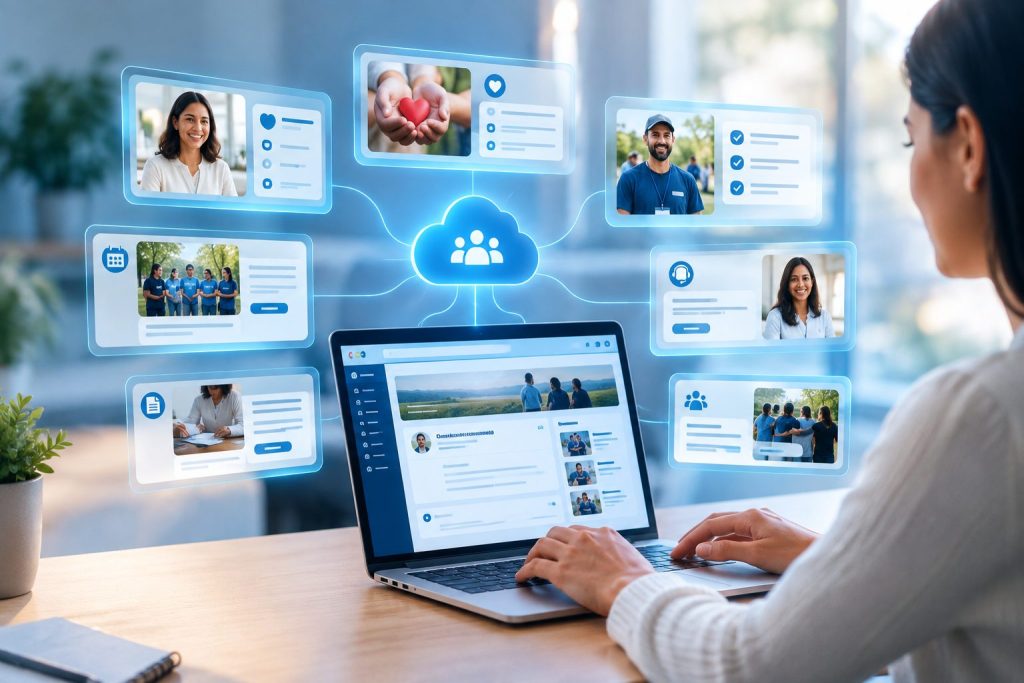
This is where Salesforce Experience Cloud for nonprofits can play an important role. Experience Cloud allows organizations to build secure, branded digital experiences and self-service portals that connect directly with their Salesforce data. Instead of relying on email, phone calls, spreadsheets, or disconnected systems for every interaction, constituents can access relevant information and complete common tasks through a centralized online experience. Experience Cloud is the part of the Salesforce platform that faces outward. Done right, it gives those people a self-service portal where they can manage their own involvement with your organization. Depending on the organization’s needs, a constituent portal can support activities such as updating personal information, accessing resources, registering for programs or events, tracking requests, managing memberships, volunteering, or staying connected with an organization’s latest updates.
What Is Salesforce Experience Cloud
Experience Cloud is Salesforce’s platform for building external-facing digital experiences. Portals, community sites, branded microsites, self-service hubs run through Experience Cloud.
For non-profits specifically, the platform connects directly to your Salesforce CRM data. A donor logging into your portal sees their actual giving history live from Salesforce Opportunities. A volunteer signing up for a shift updates a Salesforce record in real time. A program client checking their case status is reading data from Non-profit Cloud Case Management. Nothing is duplicated across separate systems.
That integration is what separates Experience Cloud from a standalone website builder.
The License Question
This is where more non-profit Experience Cloud projects break down than any other single decision. Salesforce offers several license types for Experience Cloud, and they are not interchangeable.
The Experience Cloud for Non-profits license is the correct starting point for most organizations. It gives external users access to Salesforce’s Lightning Experience Builder, authenticated portal functionality, and native access to non-profit-specific data objects: the Non-profit Success Pack (NPSP), Volunteers for Salesforce (V4S), and Non-profit Cloud Case Management. It delivers Partner Relationship Management (PRM)-level platform capabilities at pricing designed for the non-profit sector.
The Customer Community license, by contrast, provides more limited CRM data access and does not include non-profit-specific objects. If you build a donor portal on a Customer Community license and then need to surface NPSP donation data, you face an expensive redesign and a project delay.
The rule is to document exactly which Salesforce objects your portal needs to expose before any licensing conversation happens. If NPSP Opportunities, Volunteer Shifts, or Case Management records are involved, the Experience Cloud for Non-profits license is what you need.
Through Salesforce’s Power of Us Program, eligible 501(c)(3) organizations receive ten free Non-profit Cloud Enterprise Edition licenses. Additional licenses for staff users are available at up to 80% off standard commercial pricing. The Experience Cloud constituent-facing licenses are priced separately from staff licenses.
Four Types of Constituent Portals Non-profits Build
Most Experience Cloud implementations for non-profits fall into one of four categories, or some combination of them.
1. Donor Self-Service Portals
A donor portal gives supporters direct access to their relationship with your organization. The core functionality includes:
- Viewing full giving history, including one-time gifts, recurring donations, and pledge fulfilment
- Downloading tax receipts without contacting your development office
- Updating payment methods for recurring gifts
- Adjusting recurring donation amounts or pausing schedules
- Accessing personalized impact reports showing what their contributions funded
The transparency angle matters more than most organizations expect. When donors can see exactly how their money was used, trust builds in a way that quarterly newsletters cannot replicate. An environmental non-profit might surface live data from field projects. A youth education organization might show funders real-time KPIs like graduation rates and attendance figures from a board portal.
Organizations that get this right reduce their development office’s administrative load significantly. Donors who can manage their own information stop calling.
2. Volunteer Management Portals
Coordinating volunteers across through various programmes and profiles is one of the most operationally complex tasks a non-profit runs. A Volunteer Management portal built on Experience Cloud, integrated with Volunteers for Salesforce (V4S), addresses this directly.
With the Summer ’25 release of Salesforce Non-profit Cloud, the volunteer data model was strengthened specifically to support Experience Cloud portal builds. Volunteers can now browse opportunities, filter by date, location, or skill requirement, submit applications, sign up for shifts, and log their hours . The portal handles scheduling and tracks hours against program records in Salesforce automatically.
For non-profits dealing with high volunteer turnover, recruitment challenges, or complex multi-site coordination, this is often where the time savings are most immediate.
3. Program Client and Beneficiary Portals
Human services organizations, case management non-profits, and healthcare-adjacent organizations use Experience Cloud to give program participants a direct view into their own service records.
A program client portal might let participants check their case status, view upcoming appointments, access forms and documents, communicate with their case manager, and see what services they are enrolled in. This is possible because Experience Cloud connects to Non-profit Cloud Case Management.
This type of portal carries higher security requirements than a donor portal. Client data is sensitive. The sharing model must be designed carefully before any front-end work begins.
4. Grant Management Portals
For organizations that receive grants, or that make grants themselves, Salesforce Non-profit Cloud includes built-in grant management tools that extend naturally into Experience Cloud. Applicants can discover funding opportunities, submit applications, monitor review status, and receive award notifications through an authenticated portal. External reviewers can access applications and submit evaluations without needing a full Salesforce license.
For foundations and non-profits that manage grant cycles, this replaces email-based application processes that are difficult to track and harder to audit.
The Security Model
Experience Cloud portals expose Salesforce CRM data to external users who are not your staff. That requires a security model that is thought through before any portal configuration begins. Salesforce’s own guidance recommends treating external access with a least-privilege approach. It gives users exactly what they need to do their job in the portal.
The security model in Experience Cloud works in layers:
- Object-Level Security (OLS): controls which Salesforce object types a user can access at all — for example, whether an external volunteer can see Opportunity (donation) records
- Field-Level Security (FLS): controls which specific fields on an object are visible. In other words, donor can see their gift amount but not internal donor scoring fields
- Sharing rules: control which specific records a user can access. A donor should only see their own giving history. Sharing sets tied to contact relationships are the recommended approach for constituent portals
- Guest user permissions: unauthenticated visitors (people not logged in) should have minimal read-only access. Uncheck Portal User Visibility and Site User Visibility in Sharing Settings to prevent guest users from seeing any information about your internal org structure
What Portals That Actually Work Have in Common
After two decades of Salesforce implementations across non-profits of different sizes and sectors, the difference between portals that drive engagement and portals that collect dust comes down to a small number of design decisions.
They start with constituent needs
The first question is “what does a donor need to do without calling us?” or “what does a volunteer need to know when they show up for a shift?” Starting from the constituent’s job-to-be-done produces a tighter scope and a better user experience than starting from a list of platform features.
They invest in the data model before the front end
A portal is only as good as the data behind it. It is important to complete the foundation work beforehand and remove any discrepancies that may lead to data issues later. If your system works on NPSP at present, it makes sense to get it imported to the latest system as the NPSP will not have any updates in the near future. In other words, it has been discontinued.
They define user roles before templates
Experience Cloud lets you define multiple audience types on a single site, each with different content and permissions. Donors see different pages than volunteers. Program clients see different data than board members. Defining these roles upfront and confirming the sharing model that supports each one prevents the expensive redesigns that happen when organizations try to add a second audience to a portal that was only designed for one.
They plan for adoption, not just launch
A portal that nobody uses is a change management failure. Non-profits working with experienced implementation partners see 50% faster go-live times and 3x higher user satisfaction compared to organizations attempting in-house builds. But even with expert implementation, adoption requires communication, training, and a post-launch plan for handling questions and iterating on the experience. The organizations that get this right treat the portal launch as the beginning of the project.
Common Pitfalls Worth Knowing Before You Start
These are the patterns that cause projects to go over budget, over schedule, or over-promise and under-deliver.
- Wrong license type purchased before data access requirements were mapped. It is the single most expensive mistake, because it forces architectural rework late in the project
- Security model designed after the UX is built. It creates either data exposure issues or broken user experiences that require the portal to be partially rebuilt
- Portal scope that tries to serve all audience types at once – donor portals, volunteer portals, and client portals have different data models and different security requirements; attempting all three simultaneously without phasing them is a reliable way to deliver none of them well
- No post-implementation plan. Organizations that treat go-live as the finish line rather than the starting line typically see adoption plateau quickly and data quality erode as no one is accountable for keeping portal content and CRM records in sync
- Building custom code where configuration would work. Experience Cloud’s Lightning Experience Builder and OmniStudio handle a significant amount of the configuration work without custom development. Organizations that jump to custom Apex and LWC for problems that OmniStudio FlexCards or standard portal components already solve create maintenance debt that compounds over time
What Non-profit Cloud’s New AI Capabilities Mean for Portals
In March 2025, Salesforce announced AI and data capabilities for Non-profit Cloud that directly affect how constituent portals can function. Fundraising Gift Proposals uses generative AI to create personalized gift proposals grounded in individual donor history. This runs inside Non-profit Cloud and can surface through Experience Cloud portals as personalized asks.
Data Cloud for Non-profits, also announced in 2025, addresses a specific problem that undermines portal quality: fragmented constituent data. When donor records exist across NPSP, Marketing Cloud, and external payment processors without a unified view, the portal shows an incomplete picture. Studies suggest 55 to 65% of CRM data goes stale annually. Data Cloud’s harmonization capabilities merge duplicate profiles across sources automatically, giving portal users a single, accurate view of their relationship with the organization.
For non-profits already running Non-profit Cloud, extend from the same platform the portal runs on.
| “Non-profits that build constituent portals on Salesforce Experience Cloud consistently report two outcomes: their staff stop spending time on tasks constituents can handle themselves, and their data quality improves because constituents are updating their own records in real time.”
— Avinash Jhawar, Founder & CEO, Sarla Consulting, 2025 |
Implementation Timeline
Organizations frequently underestimate both the time and the internal resources a successful portal implementation requires. Here is a realistic view:
A basic donor self-service portal using standard Experience Cloud templates, on an organization that already has clean NPSP data and a functioning Salesforce instance, can go live in six to ten weeks. The work includes license configuration, sharing model setup, template customization, payment integration (if donors are making gifts through the portal), and user acceptance testing.
A multi-audience portal with custom sharing rules, OmniStudio guided experiences, and integration to external platforms realistically takes three to six months. Organizations that have a Salesforce implementation partner involved cut deployment time by 30 to 50% compared to in-house builds, primarily because they have solved the same problems before and have templates, data model patterns, and sharing configurations they can adapt rather than build from scratch.
Budget range for implementation: a typical Salesforce Non-profit Cloud implementation runs from $7,000 on the low end for small organizations with limited customization, to $30,000 and above for mid-sized organizations with complex program management needs. Implementation cost scales with the number of integrations, the complexity of the data model, and the number of distinct audience types the portal serves.